
404 Error Page
A 404 page allows site visitors to know that the content they are looking for does not exist, either as a result of a type within the address bar, or as a result of content which once existed having been deleted.
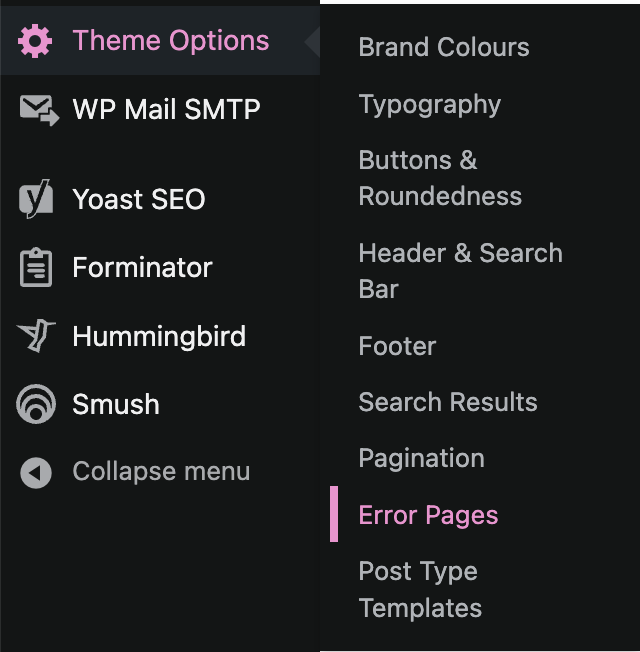
Anchor allows site administrators to configure the look and feel of the 404 page via the ‘Theme Options > Error Pages’ section.
Upon accessing this section, administrators will have the option to set the page’s background colour, title colour, subtitle colour, button colour, and button style; along with setting the subtitle content, and label for the ‘Return Home’ button.
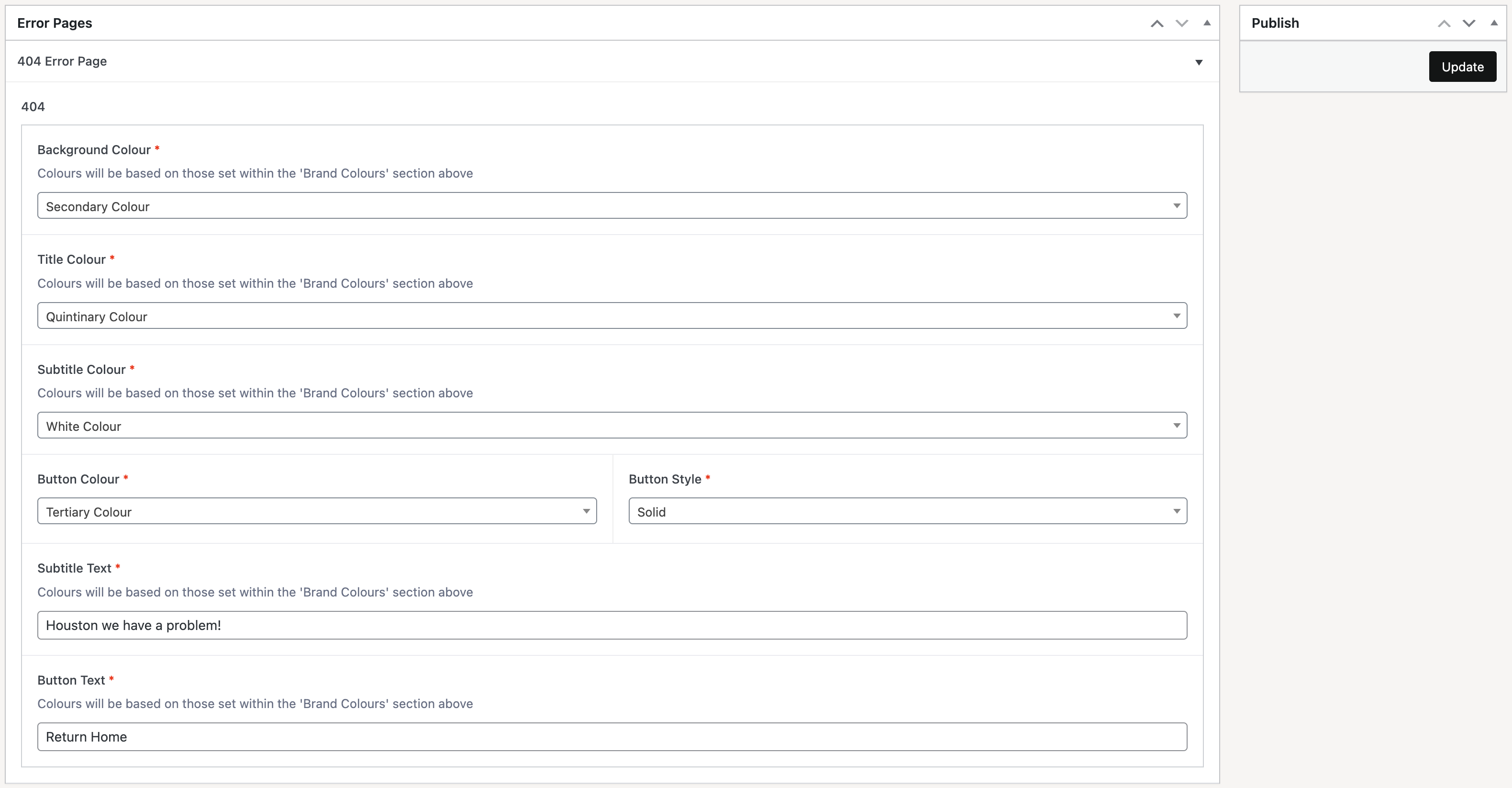
Once changes have been set, click on the ‘Update’ button in order to apply these changes to the frontend.